

mAIcroSpace
arrow_backAll products

mAIcroSpace · mAIcroStudio

Your company data, ready for AI assistants: safely.

Connect AI to your business data safely, without writing code.

mAIcroStudio connects AI assistants such as Claude to your own databases and data lake. You describe the data once, in business terms, turn common questions into approved tools, and define the agents that use them: their role, their skills and what they may touch. Access is read-only unless you allow changes, anything that writes waits for a person's approval, and every request is recorded.

mAIcroStudio

See it at work

Your data, in plain language.

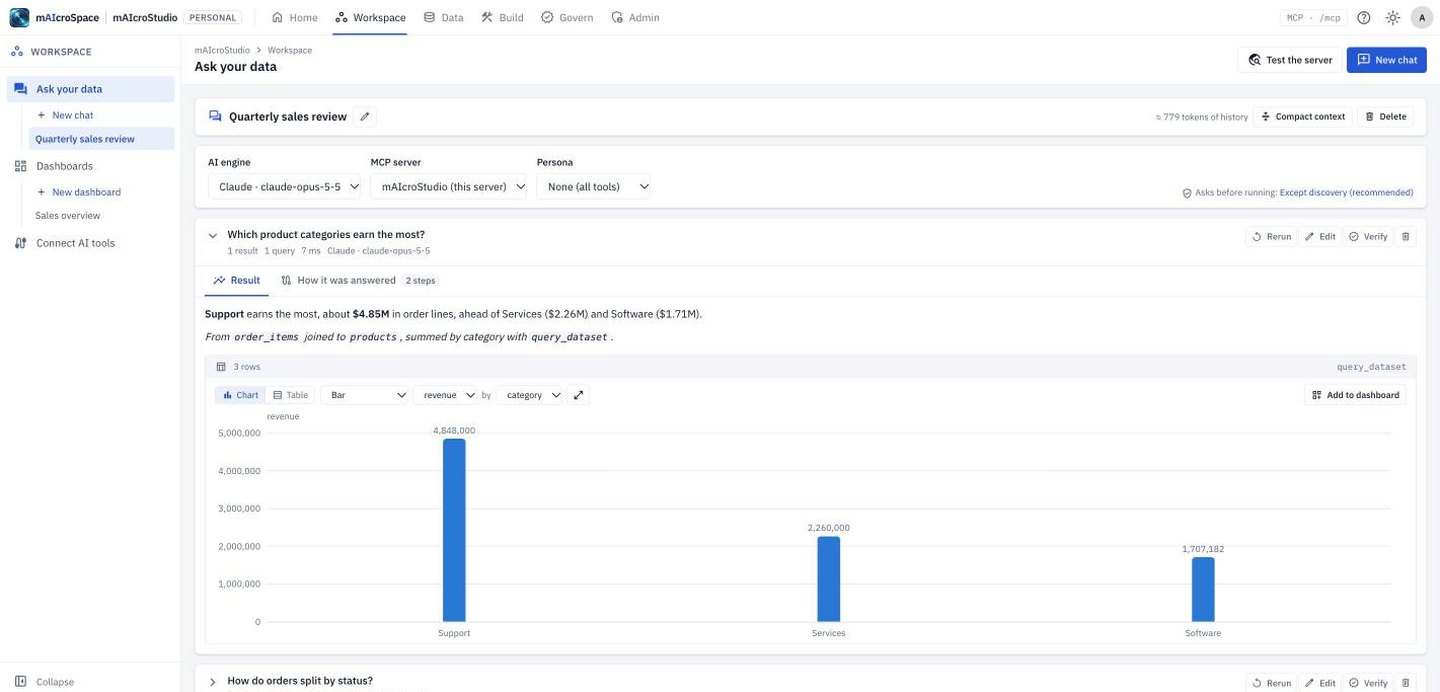
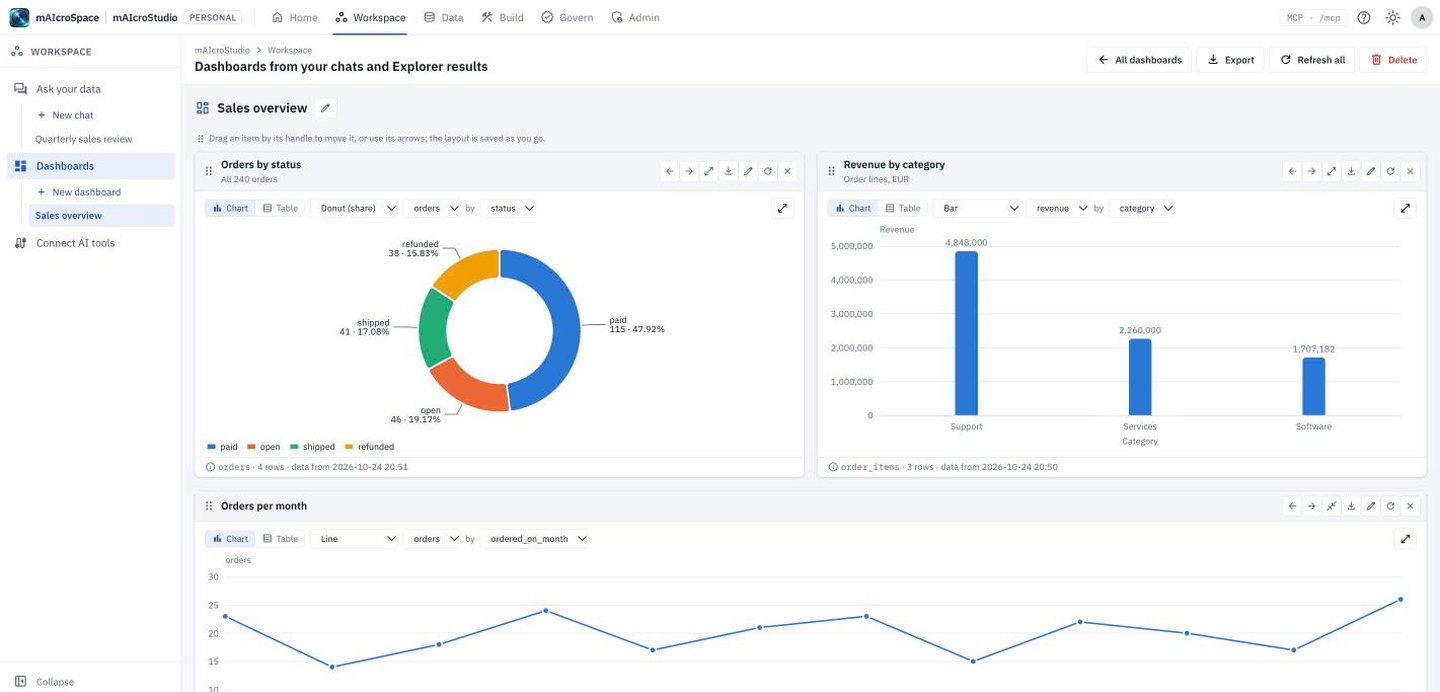
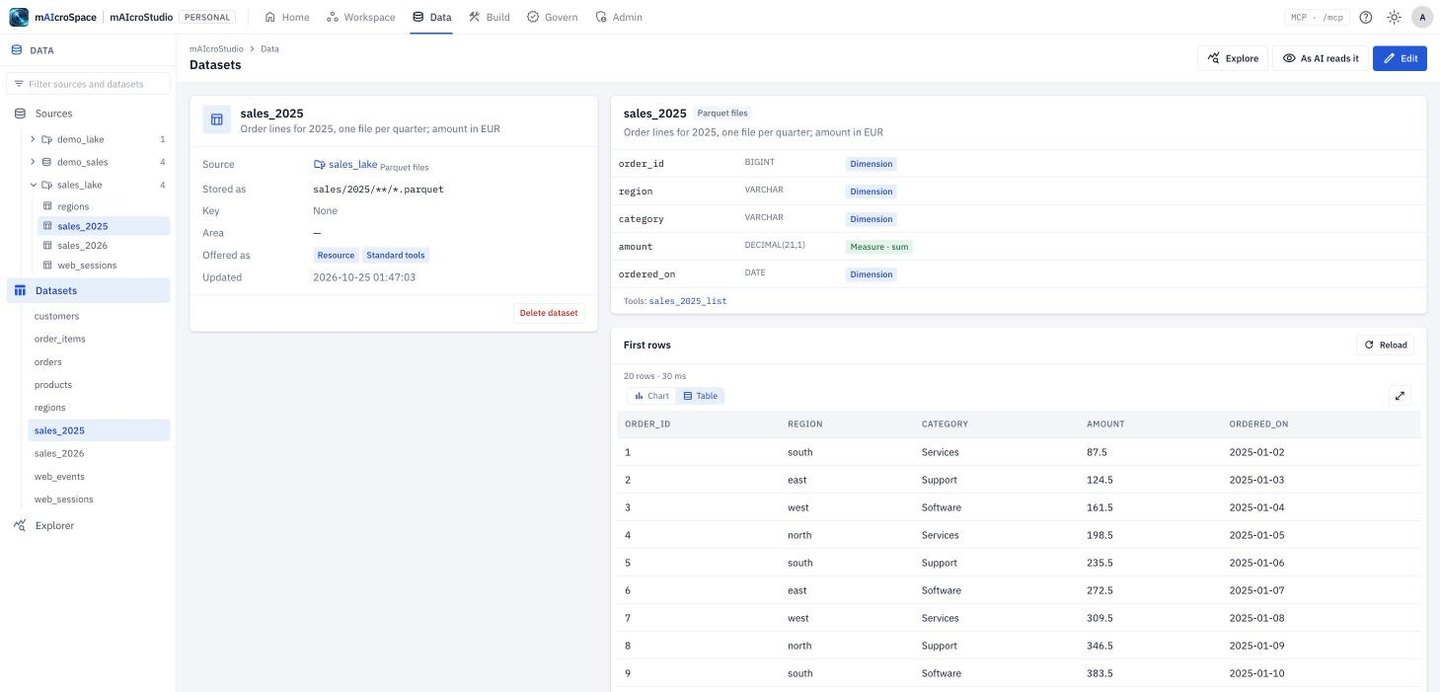
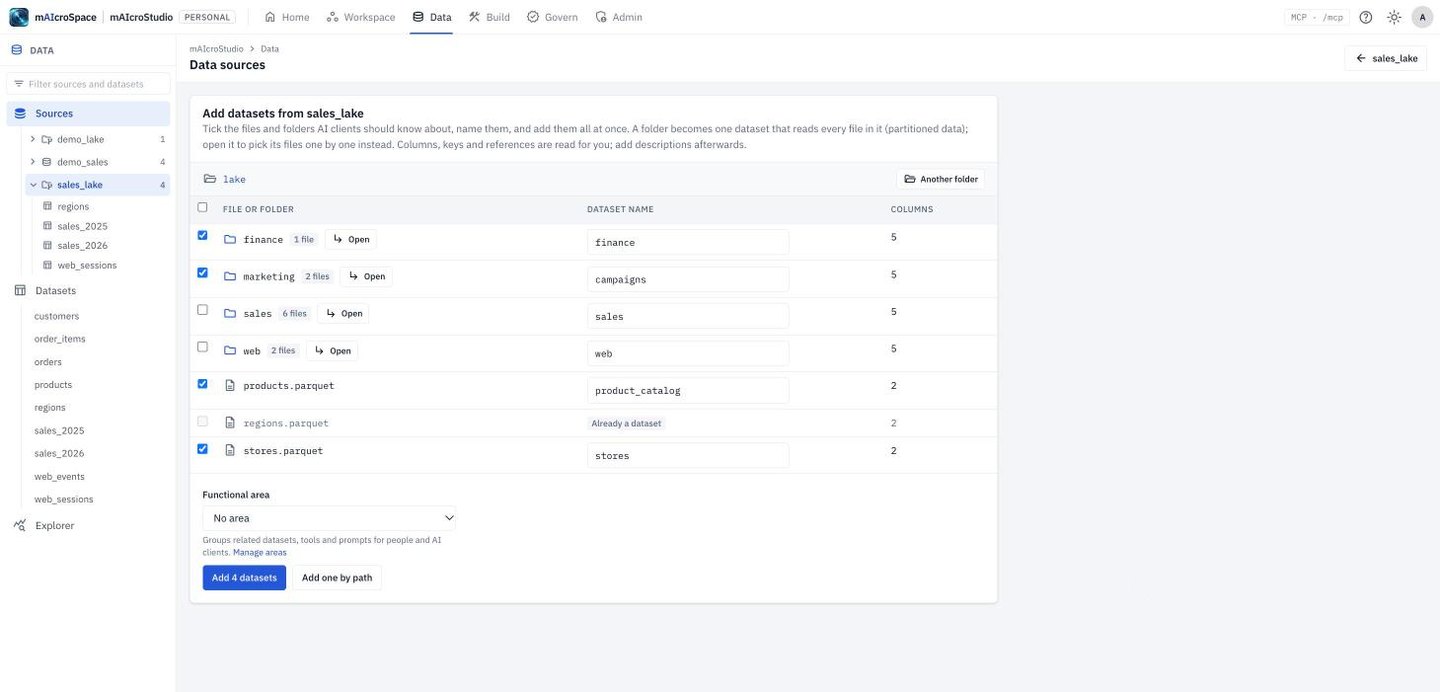
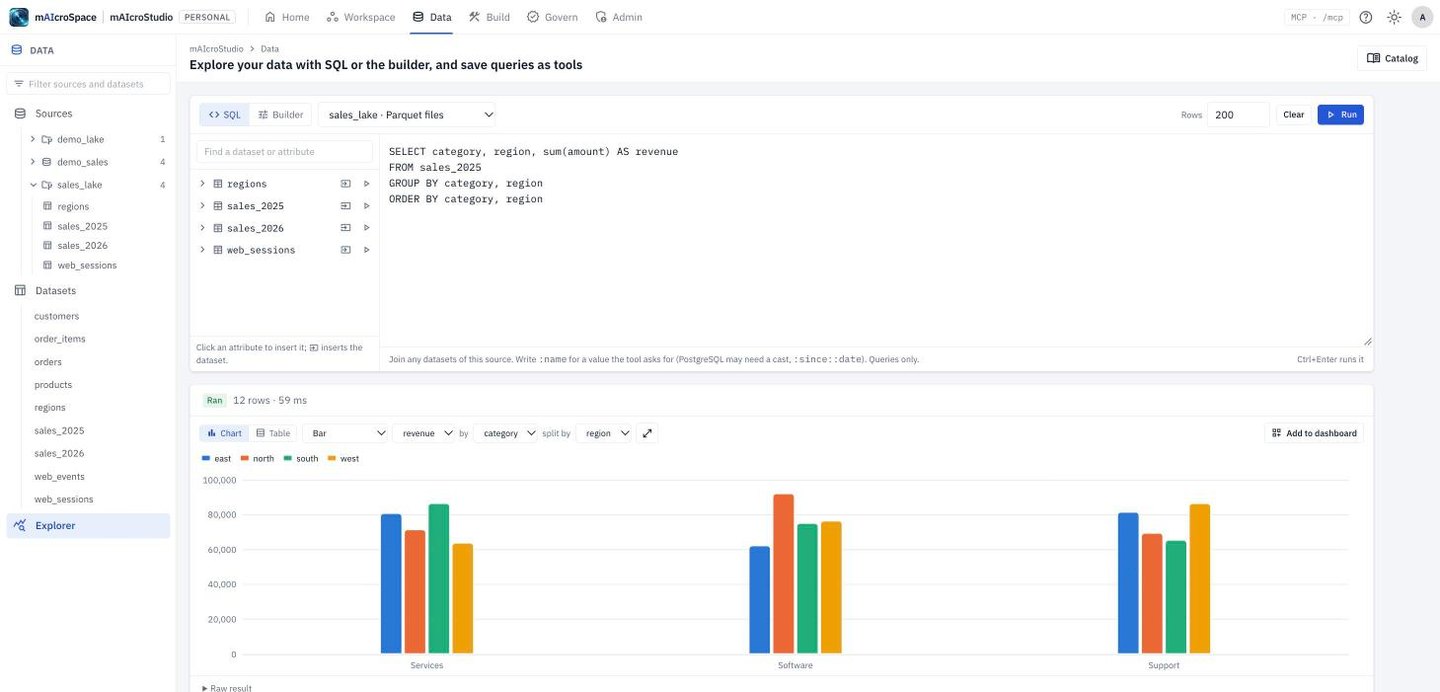
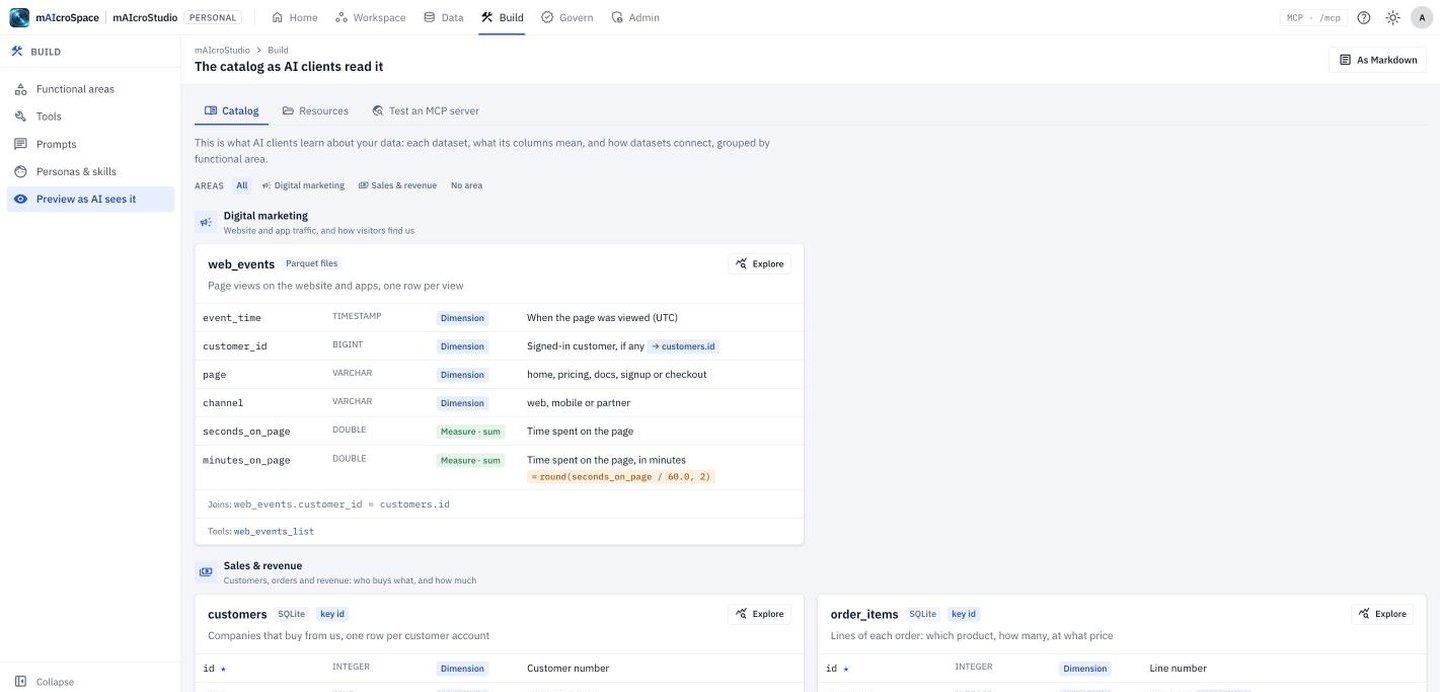
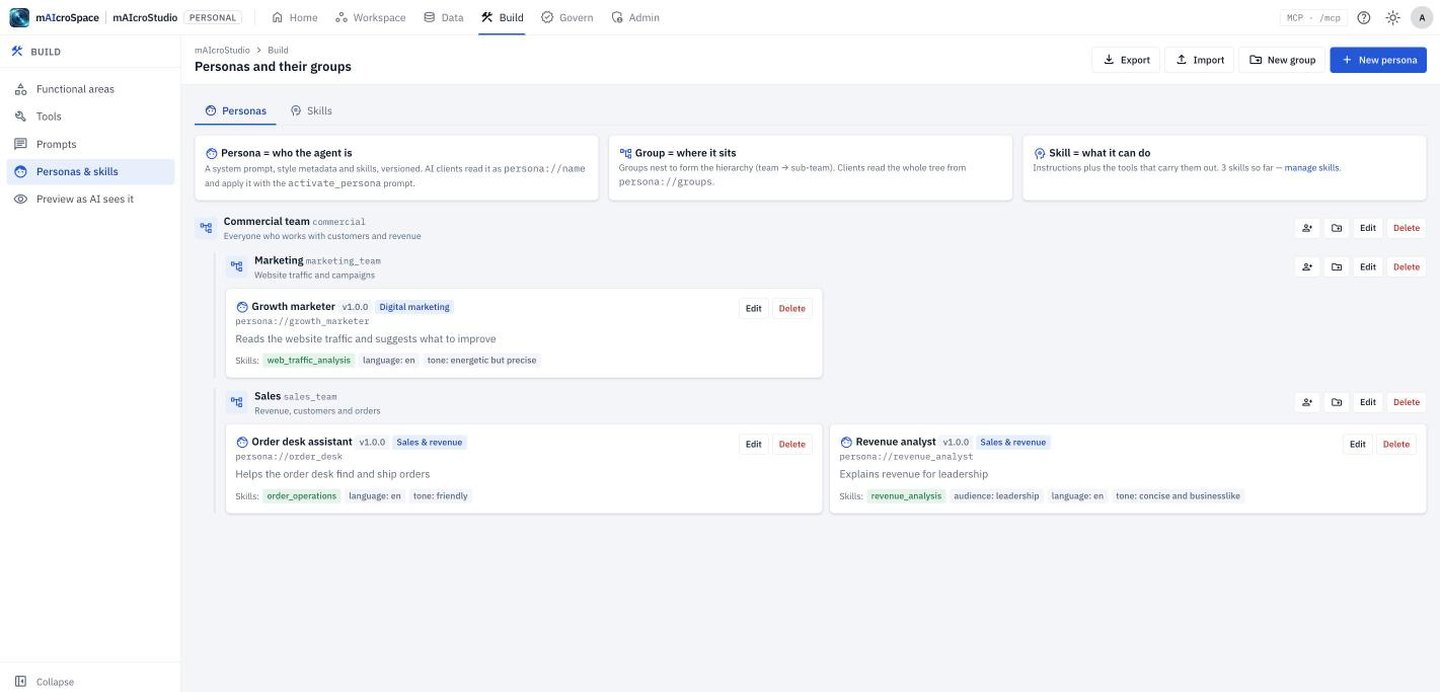
mAIcroStudio on your own computer, with the demo data it comes with. Every screen is the real product.

How it works

  1. database01

    Connect

    Point mAIcroStudio at your databases and data-lake files. Connection details are encrypted.

  2. menu_book02

    Describe

    Name datasets, columns and joins in business terms; mark dimensions, measures and calculations.

  3. build03

    Publish

    Turn questions into tools in the Explorer, bundle them into skills and personas, and set who may use them.

  4. forum04

    Ask

    Use Claude, another MCP assistant or the built-in chat. Answers come back as tables and charts.

The problem every enterprise now has

AI is ready. Your data isn't ready for AI.

The models are capable. What holds most programmes back is the gap between the model and the data.

The answer

A governed AI data layer you configure, not code.

One self-hosted product sits between your data and every AI that needs it. Tools, resources and prompts are metadata, not code: a change made in the screens reaches every connected AI client immediately.

Your data

  • Databases
  • Data lakes
  • Files
  • MongoDB
  • REST APIs

mAIcroStudio

  • Semantic layer
  • Access control
  • Approvals
  • Audit
  • Releases
  • Operations
  • smart_toyAI assistantsClaude, copilots, IDE agents
  • precision_manufacturingIn-house agentsany MCP client
  • groupsPeopleAsk your data, dashboards, reports, scheduled exports
  1. cable01

    Connects

    to your data sources

  2. menu_book02

    Describes

    them in business terms, as a semantic layer

  3. shield_person03

    Governs

    who and what may reach them

  4. hub04

    Serves

    them to any AI client as MCP tools, resources and prompts

  5. insights05

    Delivers

    answers to people through chat, dashboards and reports

What it does

Everything between your data and your AI.

database

Connect to the data you already have

  • checkPostgreSQL, MySQL/MariaDB and SQLite, with pooled connections, read-only transactions and statement timeouts
  • checkParquet, CSV and JSON: local, on network shares, over HTTPS, or in Amazon S3, Google Cloud Storage or Azure, with DuckDB built in
  • checkMongoDB, read-only, with fields inferred automatically
  • checkREST APIs with API keys, bearer tokens, basic sign-in or OAuth2 client credentials; paging, rate and size limits; one-click import from an OpenAPI description
  • checkBulk onboarding: tick the tables, files or collections you want and add them in one go, with columns, keys and relationships
menu_book

Teach AI your business: a semantic layer

  • checkEvery attribute classified as a dimension or a measure, with its default aggregation, inferred for you
  • checkCalculated attributes such as quantity × unit_price, checked and computed on the fly
  • checkJoin suggestions read from naming conventions and keys, so AI follows the right path
  • checkFunctional areas (Finance, Sales, Customer Service): focus a chat on one, so AI sees only what matters
  • checkSemantic queries: AI asks for measures by dimensions with filters, and mAIcroStudio writes the SQL. When AI writes its own SQL, it is parsed, must be read-only, may only use datasets the caller may see, and can be reviewed before it runs
verified_user

Governance built in, not bolted on

  • checkRead-only by default: data changes only when the source, the tool and the caller all allow it
  • checkEvery capability has an intent (Discovery, Query, Analytical, Transform, Validation, Export, Actionable, Administrative), and risk is decided by intent and domain
  • checkHuman approvals: actions that change data wait for a reviewer, then run once
  • checkAccess roles grant areas, datasets, tools, intents and features; groups have ceilings and their own administrators. A person's AI tools never see more than the person may
  • checkSingle sign-on with OpenID Connect (Okta, Entra ID, Google, Auth0, Keycloak, Ping, ADFS) and LDAP or Active Directory; AI tools sign in as the person with OAuth 2.1, or use scoped API keys
  • checkSecrets encrypted at rest, arguments always bound, and a complete change log
rocket_launch

Experimental to production

  • checkEvery source, dataset, tool, prompt, skill and persona is experimental or production
  • checkProduction users and AI clients see only what has been released
  • checkReleases bundle changes for review and approval, like any change to production software
terminal

Capabilities as code and CI/CD

  • checkExport and import areas, sources, datasets, tools and prompts as JSON or YAML, kept in Git
  • checkSecrets become environment placeholders, never written to files
  • checkValidate, import and release through an API, from development to test to production
psychology

Reusable agents: personas and skills

  • checkSkills: an agent's instructions plus the tools that carry them out
  • checkPersonas: system prompt, tone, audience and skills, versioned with every revision kept
  • checkDefine a “Finance Analyst” once and every AI client and team uses the same approved definition
forum

Ask your data: a built-in assistant

  • checkAnthropic Claude and OpenAI-compatible engines: OpenAI, Azure OpenAI, Gemini, Ollama, vLLM, LM Studio and the i-Nexus AI Gateway
  • checkAnswers as panels: tables and charts, the queries behind them and a step-by-step processing trace
  • checkWorks with this mAIcroStudio or any other MCP server: a test bench for your whole MCP estate
  • checkPin any answer to a dashboard with one click
summarize

Dashboards and BusinessObjects-style reports

  • checkDashboards of live tiles from AI answers and Explorer queries
  • checkReports with breaks, subtotals, crosstabs, charts, key figures, sections and multiple tabs
  • checkInput controls and drill-down through hierarchies and calendar levels
  • checkShare with groups, roles or people; schedule Excel and CSV runs; export to PowerPoint, PDF, Word or an image
  • checkOne semantic layer and one set of access rules for BI and AI: the report's number is the assistant's number
monitoring

Operations dashboard

  • checkTool calls, failure rates, common errors and 95th-percentile response times
  • checkUsage by channel, questions answered, AI engine, model and token use
  • checkApprovals waiting, sources down, sensitive changes, inactive accounts and log retention
  • checkAlerts flag problems before users report them
dns

Deploy your way

  • checkOne small, self-contained program for macOS, Ubuntu and Red Hat Enterprise Linux: no containers or runtimes
  • checkPersonal on a laptop, or a team server with PostgreSQL or SQLite, HTTPS with your certificate and log retention
  • checkRuns on your infrastructure: data never passes through a vendor's cloud
  • checkOn its own, or as part of the i-Nexus suite with shared sign-in, licensing and the AI Gateway

The impact

From projects to configuration.

Without mAIcroStudioWith mAIcroStudio
Expose a new dataset to AI closeWrite, test and deploy a connector and tools; often weeks check_circleAdd the dataset in the browser: minutes, live immediately
Make AI understand the data closePrompt engineering in every application check_circleDescribe it once, in the semantic layer, for every AI
Add a new question type closeNew code, new release check_circleA new custom tool, or none at all: semantic queries cover it
Control access closePer-application logic, often inconsistent check_circleOne set of roles for people, keys, AI tools, dashboards and reports
Allow AI to take action closeUsually forbidden: too risky check_circleAllowed with intent-based approvals and a full audit trail
Promote from test to production closeManual, undocumented check_circleStages, releases, approvals, capabilities as code and CI/CD
Explain an AI answer closeHard or impossible check_circleA step-by-step trace, with the queries and data behind it
Reporting and AI closeTwo models of the business that drift apart check_circleOne semantic layer for both
Monitor usage closeCustom logging projects check_circleAn operations dashboard out of the box

What it means for each team

trending_upCompounding value. Every dataset described, measure defined and persona created becomes a reusable asset. The tenth AI capability costs a fraction of the first, because the foundation (connections, meaning, rules and audit) is already in place: an AI-ready data estate, not a pile of one-off integrations.

Where it fits

Use cases across industries.

Why mAIcroStudio

One download, two ways to use it

mAIcroStudio is downloaded and runs on your own computers and servers, never on ours: on macOS (Apple silicon), Ubuntu and Red Hat Enterprise Linux. You decide where its metadata (sources, datasets, tools, personas and skills) is kept, and who signs in decides what they get.

laptop_mac

Personal

On your own computer

Install it and start. Only your computer reaches it, and your metadata stays on it.

  • check_circleMetadata on your computer (in your home folder), or your own PostgreSQL
  • check_circleOpens in your browser; you have both sides: the server and the client
  • check_circleConnect Claude Desktop, Claude Code and other assistants
  • check_circleUse your company's mAIcroStudio server alongside your own work
dns

Team server

For teams and enterprises

An administrator switches the same installation to a team server, on a computer the team can reach.

  • check_circleShared metadata in PostgreSQL (or a file on a single server)
  • check_circleAdministrators and editors manage the shared data, tools and personas
  • check_circleUsers who sign in get the client side: Ask your data and dashboards
  • check_circleAssistants connect over HTTPS with API keys; runs as a service on Linux

What it means for you

Works with

Claude DesktopClaude CodeAny MCP clientPostgreSQLMySQLSQLiteMongoDBParquetCSV / JSONAmazon S3Google Cloud StorageAzure Blob

Built for

Chief Data and Analytics OfficersHeads of business intelligenceData platform and IT leadersTeams building AI agents

Get started

From raw data to governed AI answers in an afternoon, not a quarter.

  1. 1

    Download mAIcroStudio for your platform and start it. The first account becomes the administrator.

  2. 2

    Connect a data source and add its datasets in one step.

  3. 3

    Describe your measures, dimensions and functional areas.

  4. 4

    Connect your AI tool from Workspace → Connect AI tools, or ask questions straight away in Ask your data.

  5. 5

    Share what you find as dashboards and scheduled reports.

rocket_launchStart a free 30-day trial shopping_cartBuy a licence Available on its own or as part of the i-Nexus suite. Contact us for a demonstration.

Also from mAIcroSpace